Mastering Your Digital Art with 24 Constellation Procreate Stamps
Digital illustration has evolved from a niche hobby into a robust professional industry, and tools like 24 Constellation Procreate Stamps are bridging the gap between technical skill and artistic vision. For creators ranging from freelance graphic designers to astrology enthusiasts building personal brands, these assets offer a shortcut to high-quality celestial imagery. However, simply downloading a brush set is not enough to guarantee professional results. Many artists stumble not because they lack talent, but because they misunderstand how to integrate pre-made stamps effectively into their workflow.
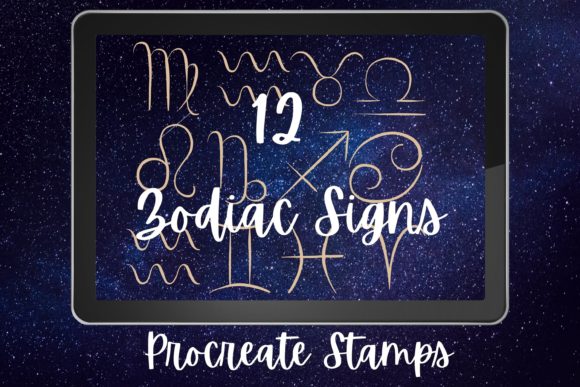
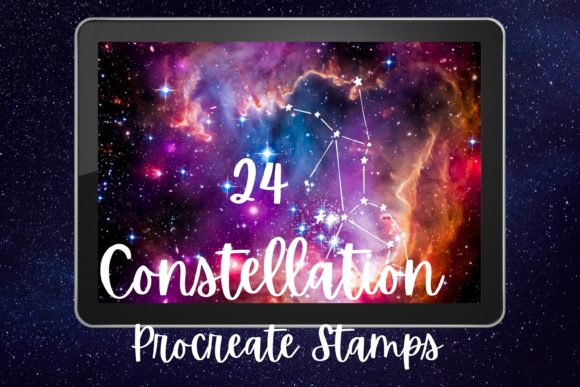
This collection typically includes all twelve zodiac signs—Aries, Taurus, Gemini, Cancer, Leo, Virgo, Libra, Scorpio, Sagittarius, Capricorn, Aquarius, and Pisces—presented in two distinct styles: twelve with intricate watercolor backgrounds and twelve as simple, clean line art or solid shapes. Understanding the nuance between these variations is critical for maximizing their utility.
The Trap of One-Size-Fits-All Application
A common mistake among beginners is treating every stamp identically, regardless of the project’s tone. The 24 Constellation Procreate Stamps are designed with versatility in mind, yet users often overlook the stylistic divide between the watercolor and simple variants. Using a heavy, textured watercolor stamp on a minimalist corporate logo design creates visual dissonance. Conversely, applying a stark, simple icon to a dreamy, ethereal journal cover can make the composition feel flat and unfinished.
Why this matters: Misaligning the asset style with your project’s aesthetic reduces perceived quality. It signals to clients or viewers that the design was assembled hastily rather than curated thoughtfully.
Better approach: Before placing a stamp, define the mood of your canvas. Use the twelve watercolor background versions for projects requiring depth, emotion, or a hand-painted feel, such as wedding invitations, book covers, or lifestyle blog headers. Reserve the twelve simple constellations for UI elements, icons, educational materials, or designs where clarity and scalability are paramount. This deliberate selection process ensures cohesion.
Overlooking Resolution and Scalability Limits
Another frequent oversight involves assuming that digital stamps are infinitely scalable. While Procreate handles vector-like precision well, raster-based stamps have resolution limits. Users often drag a small constellation stamp to fill a large poster background, resulting in pixelation or blurry edges. This is particularly problematic with the watercolor variants, where the soft edges can turn into muddy artifacts when enlarged beyond their intended size.
The impact: Poor resolution undermines professionalism. In print media, this leads to costly reprints. In digital spaces, it lowers engagement as users subconsciously perceive low-resolution graphics as low-effort content.
Practical advice: Always check the original dimensions of your 24 Constellation Procreate Stamps. If you need a larger image, place the stamp at its native size first, then use Procreate’s transformation tools carefully. For the simple zodiac signs, consider tracing over them with vector-friendly brushes if extreme scaling is required. For watercolor pieces, keep them at or near their original size to preserve the delicate texture integrity.
Neglecting Layer Management and Blending Modes
New users often place stamps directly onto their main artwork layer, making edits impossible without starting over. Others fail to experiment with blending modes, leaving the stamps looking like stickers pasted on top of the image rather than integrated elements. The watercolor backgrounds, in particular, rely heavily on blending modes like Multiply, Overlay, or Soft Light to interact naturally with underlying colors.
Consequences: Rigid, unblended stamps break the immersion of the artwork. They look artificial and disconnected from the rest of the composition. Additionally, poor layer management wastes hours during the revision phase when clients request color changes or position adjustments.
Solution: Adopt a non-destructive workflow. Place each constellation on its own layer. For the twelve watercolor designs, experiment with blending modes to let the paper texture or background colors show through. Use clipping masks if you want to restrict the stamp’s visibility to a specific shape. This flexibility allows you to tweak opacity and color balance without altering the original stamp data.
Ignoring Licensing and Commercial Use Rights
Perhaps the most critical error involves legal assumptions. Many creators download free or low-cost stamp sets without reading the license agreement. They assume that because they purchased the 24 Constellation Procreate Stamps, they can use them freely in logos, merchandise, or client work. However, some licenses restrict commercial use or require attribution. Using these assets in a trademarked logo, for instance, might violate terms if the stamp is not unique enough to be trademarked itself.
Risk factor: Legal disputes can lead to takedown notices, fines, or damaged professional reputation. For entrepreneurs and small business owners, this risk is unacceptable.
Best practice: Always read the license file included with your download. If you plan to use the zodiac symbols in a logo, ensure the license permits commercial modification. Often, it is safer to use the simple constellations as inspiration for a custom-drawn logo rather than using the stamp directly. For print-on-demand products, verify that the provider allows third-party asset usage. When in doubt, contact the creator for clarification.
Failing to Customize for Brand Consistency
Using stock assets "out of the box" can make your content look generic. With thousands of users accessing similar Procreate resources, your Instagram post or website banner might look identical to a competitor’s. This lack of differentiation dilutes brand identity.
Effect on audience: Consumers crave authenticity. Generic visuals fail to capture attention in saturated markets like astrology blogs or wellness coaching.
How to stand out: Treat the 24 Constellation Procreate Stamps as a base, not the final product. Change the hue to match your brand palette. Add hand-lettered quotes around the zodiac signs. Combine the simple icons with custom textures. For the watercolor versions, adjust the saturation to fit your seasonal theme. By adding a personal touch, you transform a common asset into a unique brand element.
What to Check Before You Buy or Download
Before committing to any digital asset pack, perform a quick audit. First, verify compatibility. Ensure the stamps are in a format Procreate supports, such as .brushset or high-resolution PNGs. Second, preview all twenty-four designs. Do the watercolor backgrounds complement your typical canvas colors? Are the simple lines clean and closed, suitable for coloring? Third, read recent reviews. Look for comments about ease of use and customer support responsiveness.
Finally, consider your long-term needs. If you frequently create content around astrology, mindfulness, or night-sky themes, this investment pays for itself quickly. If you only need a zodiac sign once a year, a free alternative might suffice. Align your purchase with your actual workflow frequency.
In conclusion, 24 Constellation Procreate Stamps are powerful tools when used with intention. By avoiding common pitfalls related to style matching, resolution, layer management, licensing, and customization, you can elevate your digital art from amateur to professional. Take the time to understand the assets, respect their limitations, and inject your unique creative voice. The result will be compelling, polished visuals that resonate with your audience and support your creative goals.