Master Realistic Blonde Hair in Procreate
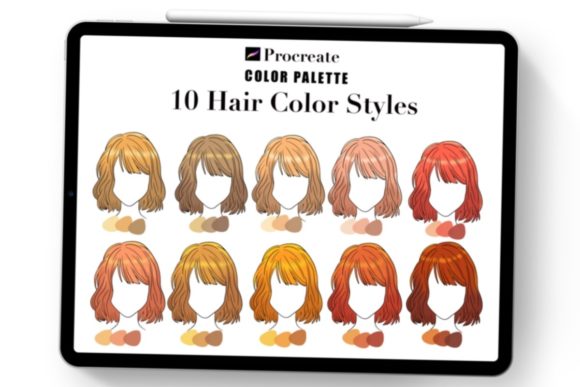
Digital illustration often lives or dies by the details, and few subjects are as notoriously difficult to render convincingly as hair. Specifically, capturing the nuance of blonde tones requires more than just picking a yellow hue and dragging a brush across the canvas. This is where a specialized Blonde Hair Color Procreate Palette becomes an indispensable tool for artists ranging from hobbyists to professional character designers. When you rely on a curated collection like the Hair Shades 30 set, you bypass the tedious trial-and-error phase of color mixing and jump straight into creating depth, luminosity, and realistic texture.
The inspiration behind high-quality digital assets often stems from traditional observation. Many top-tier palettes, including version 4 updates found in popular marketplaces, draw their roots directly from physical sketchbooks. These aren't algorithmically generated gradients; they are hand-picked swatches derived from studying how light interacts with strands of golden brown blonde hair, platinum highlights, and dark roots in the real world. By integrating these elements into your workflow, you elevate your artwork, making it look more fabulous and professionally polished. It is about having the right tools at your fingertips to ensure your success in a competitive creative landscape.
Why Specialized Palettes Beat Generic Mixing
One of the most common pitfalls for digital painters is "muddy" coloring. When attempting to mix blonde tones manually using standard RGB wheels, it is easy to oversaturate the yellows or introduce grays that make the hair look lifeless and dull. A dedicated Procreate palette designed specifically for blonde hair solves this by providing pre-harmonized values. The Blonde color palette included in comprehensive sets typically offers a spectrum that accounts for the complex interplay of warm and cool undertones necessary for realism.
Consider the physics of light on hair. Blonde isn't a single color; it is a reflection of the environment. A well-constructed palette includes shadow tones that might lean slightly violet or cool blue to counteract warmth, as well as highlight tones that approach near-white without losing saturation. With a set containing 30 colors, you have a complete gradient map ready to go. This variety allows for seamless Hair blending, enabling you to transition from deep golden browns at the roots to sun-kissed tips without the colors clashing or appearing banded.
Streamlining Your Creative Workflow
Time is the most valuable currency for creators, whether you are a freelancer rushing to meet a client deadline or an educator preparing tutorial materials. Downloading a zip file containing .swatch files and importing them into Procreate takes seconds, yet it saves hours of setup time. Once you open the file in Procreate, the palette is instantly available in your library. This immediate accessibility means you can maintain your flow state, focusing on brushwork and composition rather than hunting for the perfect hex code.
The inclusion of a Jpg file about How to use this Procreate color palette adds another layer of value, particularly for those new to the software or those looking to refine their technique. These guides often demonstrate layering strategies, such as which shades to use for base coats versus which to reserve for fine strand details. For professionals, this efficiency translates directly to higher productivity and the ability to take on more projects without sacrificing quality.
Versatile Applications Across Industries
The utility of a robust Blonde Hair Color Procreate Palette extends far beyond simple portrait practice. Its applications are vast across various sectors:
- Character Design and Concept Art: Game developers and animators need consistent character sheets. Using a fixed palette ensures that a character's hair color remains uniform across different poses, lighting conditions, and episodes.
- Fashion Illustration: Designers showcasing hairstyles or hair care products require hyper-realistic rendering to sell a vision. The specific nuances of golden brown blonde hair can make the difference between a sketch that looks flat and one that looks like a photograph.
- Educational Content: Art instructors creating courses on digital painting can provide these palettes to students as part of their curriculum, ensuring everyone starts with a solid foundation in color theory.
- Marketing and Branding: Influencers and bloggers who create their own avatars or branded illustrations benefit from a cohesive look. Consistent hair coloring helps in building a recognizable personal brand identity.
Achieving Depth Through Strategic Blending
The secret to lifelike hair lies in the blending. Flat blocks of color rarely convince the eye. With a palette offering thirty distinct shades, you can employ a "ribbon" technique, where alternating light and dark strokes create the illusion of volume and movement. Start with your mid-tones, then lay in the shadows using the deeper browns provided in the set. Finally, add the high-contrast highlights sparingly. Because the colors in the Hair Shades 30 collection are color-theory balanced, they blend smoothly when using Procreate's native brushes, avoiding the chalky residue that often occurs when mixing incompatible hues.
Furthermore, these palettes often account for different lighting scenarios. Whether you are painting a character under warm sunset light or cool studio fluorescence, having a range of temperatures within the same family allows you to adapt quickly. You might select a warmer subset for a summer scene and a cooler subset for a moonlit portrait, all while maintaining the integrity of the character's natural hair color.
Practical Considerations for Selection and Use
When evaluating a digital asset like this, look for versatility. A good palette shouldn't just offer thirty shades of lemon yellow; it must include the transitional colors that ground the hair. Check if the product includes updated versions, such as color palette V4, which suggests the creator has refined the selection based on user feedback and evolving artistic trends. The source of inspiration matters too; palettes drawn from real-life sketchbook studies tend to feel more organic than those generated purely digitally.
Implementation is straightforward but requires intention. Do not simply fill an area with color. Use the palette to build up layers. Utilize the lighter shades for rim lighting to define the silhouette of the hair against the background. Use the darker tones to create depth around the face and neck. Remember that the goal is to guide the viewer's eye through the texture of the strands. By leveraging these pre-selected elements, you allow your technical skills to shine without being bogged down by color selection fatigue.
In the end, the difference between an amateur illustration and a professional piece often comes down to these subtle choices. Having a reliable Blonde Hair Color Procreate Palette in your arsenal empowers you to tackle complex rendering tasks with confidence. It transforms the daunting challenge of painting hair into an enjoyable, creative process, allowing you to focus on storytelling and style. Whether you are updating your portfolio, designing a new mascot, or simply experimenting with digital art, investing in high-quality resources is a strategic move toward artistic excellence.